
Products/Food cost
Know what every dish on your menu really earns.
Food cost lives inside your QwikEat dashboard, next to your menu. Your prices are already there. Add what goes into each dish once, and see the cost, the food cost percentage and the margin for every plate you sell.
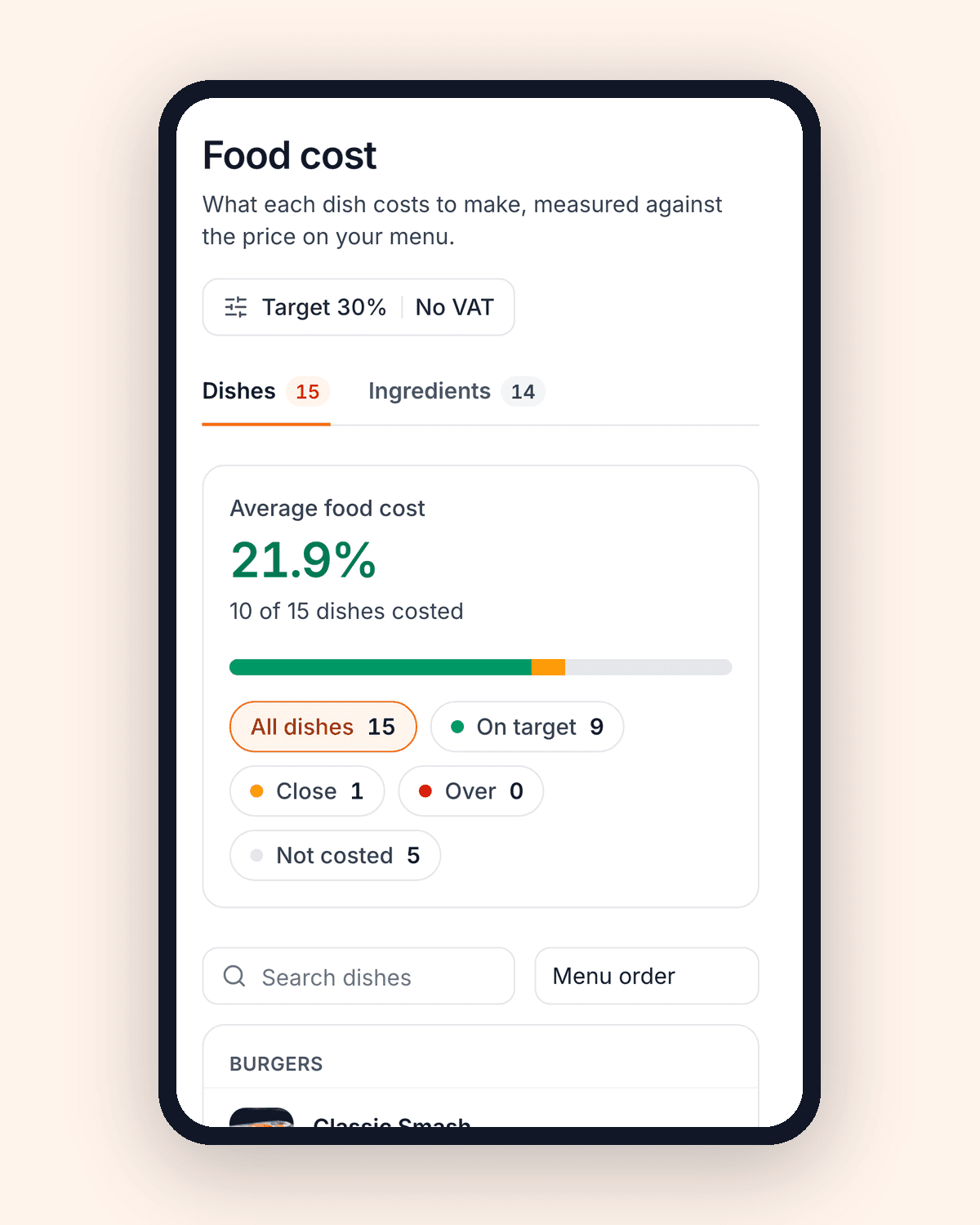
Your whole menu, costed in one table.
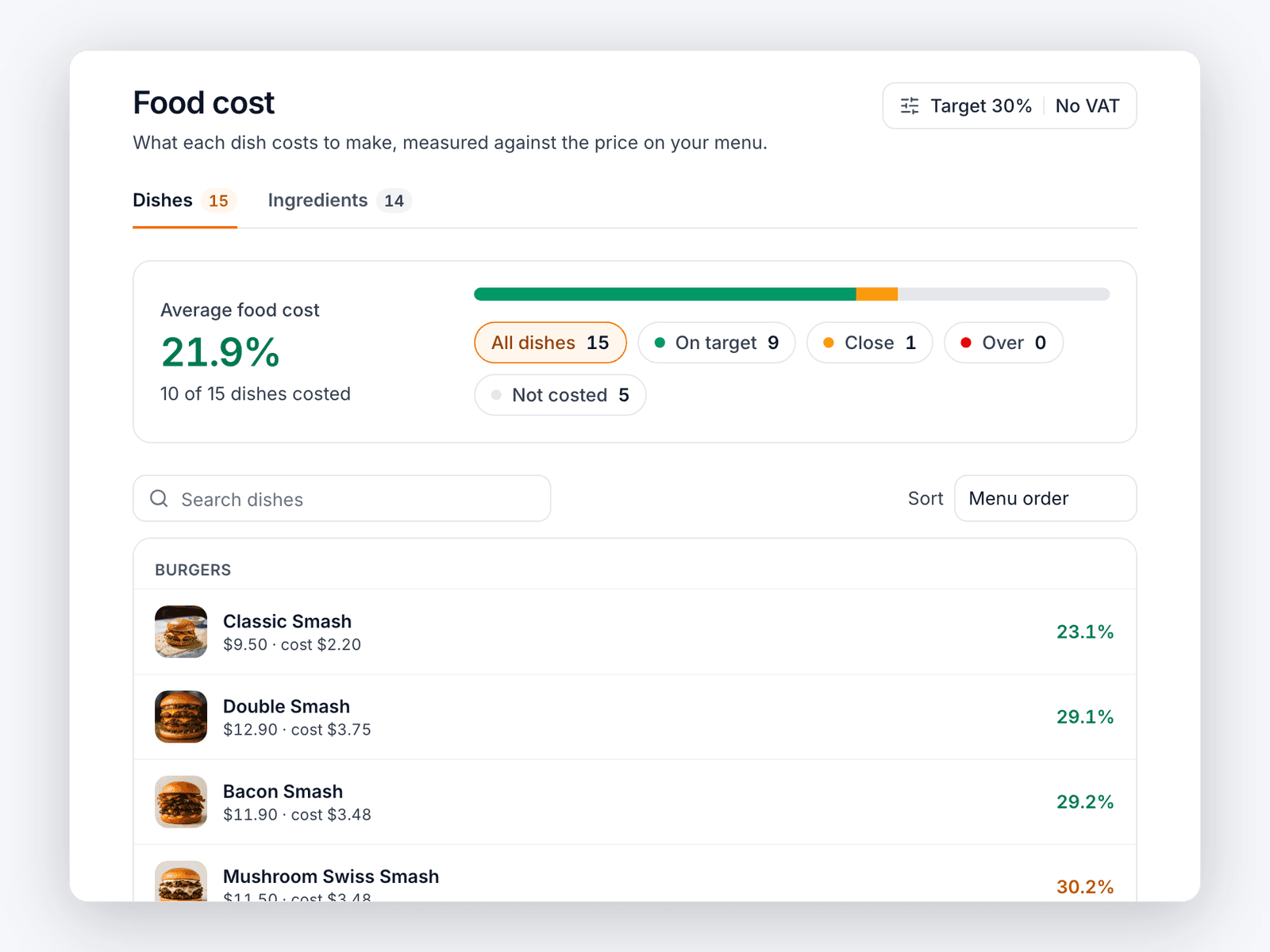
No spreadsheet to keep in sync with your menu. Every dish you sell appears with its menu price, what it costs to make, its food cost percentage and the margin you keep. Green means on target, amber means close, red means it's costing you.
- Prices come straight from your menu, always current
- One glance shows which dishes need attention
- Sort by highest food cost or lowest margin
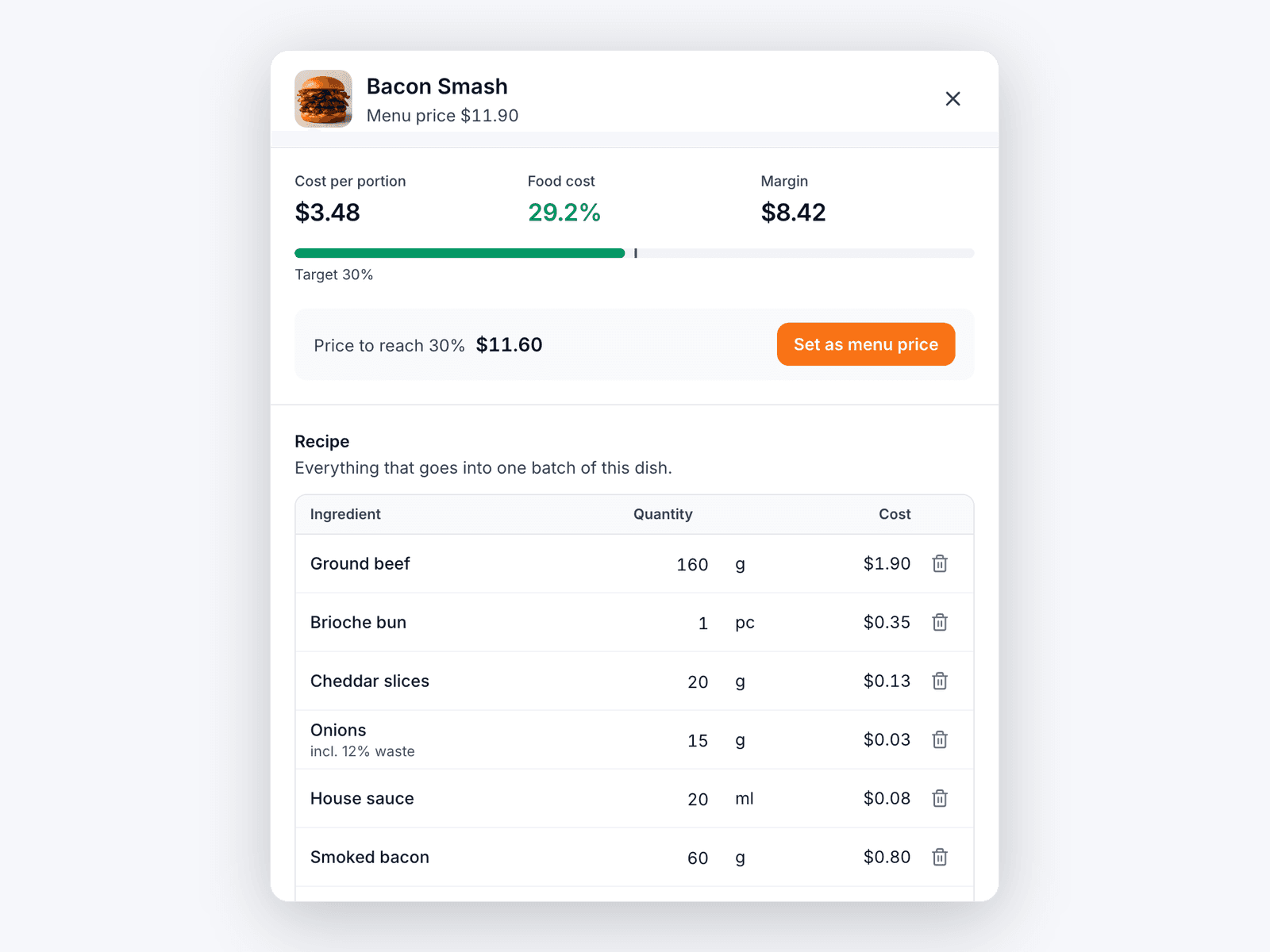
Cost a recipe in two minutes.
Open a dish and add what goes into it: 160 g of beef, one brioche bun, 20 g of cheddar. The cost of each line, the cost per portion and the food cost update as you type. Waste is counted for you, so peeled potatoes and trimmed onions cost what they really cost.
- Grams, kilos, millilitres, litres or pieces
- Waste and trim included automatically
- Packaging and extras per portion
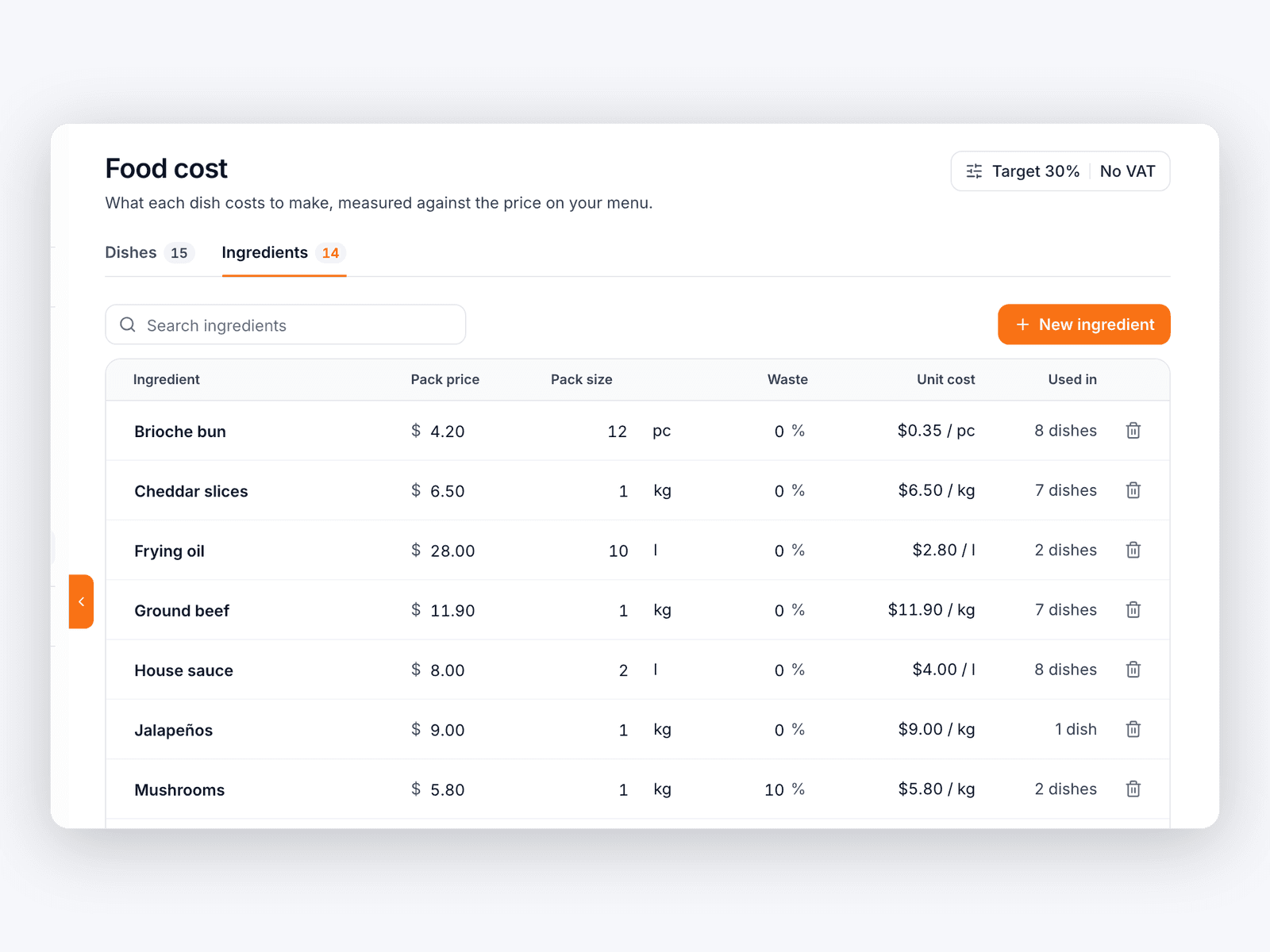
Change a supplier price once. Every dish follows.
Each ingredient is entered once, with the pack price and size from your invoice. When the price of beef goes up, update it in one place and every burger that uses it is re-costed on the spot. You see the impact before your margins quietly shrink.
- Pack price and size, straight from the invoice
- Unit cost per kilo, litre or piece worked out for you
- See how many dishes use each ingredient
Everything you need to price with confidence
What's in the box
- Your target food costSet it once. Every dish is checked against it.
- Suggested priceThe price that brings a dish back to your target, rounded to a price a menu would show.
- One click to update the menuApply the suggested price to your live menu from the same screen.
- Taxes handledIf your menu prices include sales tax or VAT, food cost is worked out on the price without it.
- Waste includedSet the loss per ingredient once. It is added to every recipe that uses it.
- Works on your phoneCheck a margin at the pass, not only at the office.
What one dollar a dish is worth.
Underpricing rarely looks dramatic on a single plate. Across a year it does. A simple example for a restaurant selling 60 burgers a day:
Priced $1 too low
60 × $1
Sixty burgers a day, each one a dollar under what it could be, without anyone noticing.
Over a year
$21,900
Kept instead of given away, from one line on the menu, once the price matches the cost.
Illustrative example: 60 burgers a day, 365 days a year. Your numbers will differ; the point is that small gaps add up.
Frequently asked questions
Do I need to type my menu prices?
Do I have to cost every dish?
How does it handle waste and trim?
What is a good food cost percentage?
Are taxes taken into account?
Can I change my menu price from here?
Is there a guide to calculating food cost?
How much does it cost?
Stop guessing which dishes make money.
Create your free account, add your menu, and cost your best sellers today.